
 English
Doxis Blog Customer Stories & Use Cases
Document version control software: The gold standard in document management
|
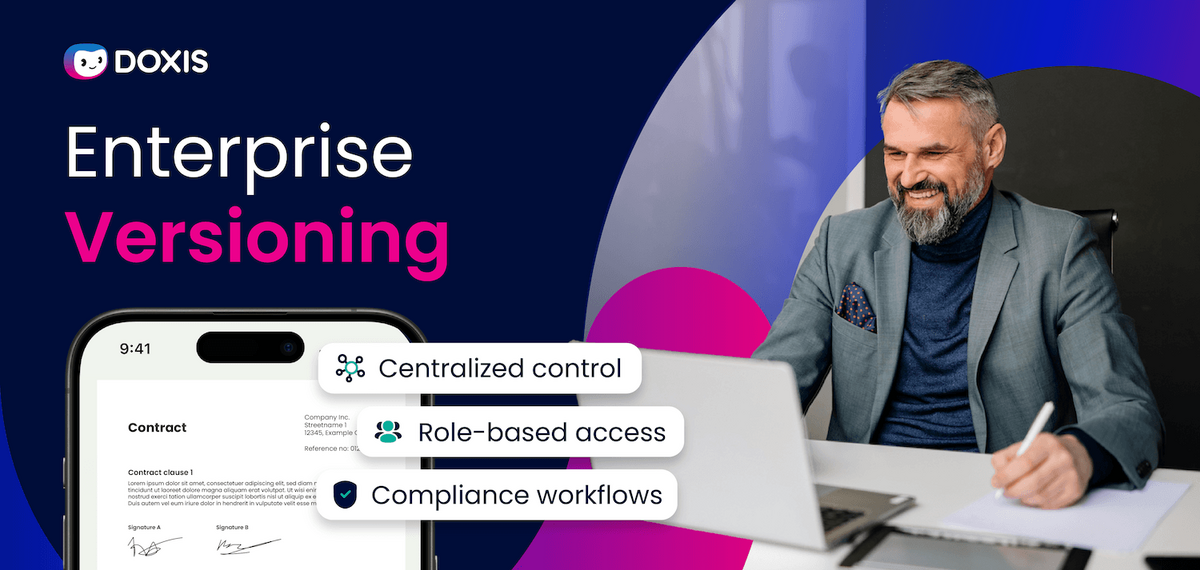
Have you ever made a decision based on a document, only to discover later that someone was working from a newer version? Versioning issues do more than create duplicate files. Teams approve outdated contracts, employees follow superseded policies, and auditors struggle to verify which version was valid at a specific point in time.
The challenge grows as document volumes increase. According to AIIM and Deep Analysis, 61% of organizations still process paper documents in IDP workflows, while managing growing volumes of content across HR, finance, operations, and customer systems. Without centralized version control, organizations lose visibility into document changes, ownership, and approval history.
Document version control software solves this by tracking revisions, preserving audit trails, preventing editing conflicts, and ensuring employees always work from the latest approved information. This article explains how document version control works, why manual approaches fail at scale, and how platforms like Doxis help organizations manage business-critical documents more securely and efficiently.
Key takeaways
- Document version control software creates a single source of truth by tracking every revision, approval, and document state throughout the lifecycle.
- Manual version management increases the risk of outdated contracts, policies, and technical documents being used in business-critical decisions.
- Enterprise version control connects documents to workflows, ensuring new versions automatically trigger reviews, approvals, and compliance actions.
- Complete audit trails provide visibility into who changed a document, when changes occurred, and which version was valid at any point in time.
- Version-based permissions and audit-proof archiving help organizations meet regulatory, retention, and governance requirements.
- Doxis combines version control, workflow automation, AI-powered document management, and SAP integration to manage documents as part of end-to-end business processes.
What is a document version control software?
Versioning tracks every change made to a document throughout its lifecycle. Instead of creating disconnected files like “Contract_V2_Final_Final.pdf,” enterprise version control keeps one controlled document while preserving revisions, approval states, timestamps, users, and change history.
This ensures employees work from the correct version, and auditors can verify which document was valid at a specific point in time. It also controls access, so external users may see a redacted contract while internal teams retain the full version.
Versioning supports workflow automation, too. A new safety guideline can trigger review and acknowledgment tasks, creating proof that employees received and approved the latest document. Without this structure, teams work across duplicate files, conflicting revisions, and unclear approval of histories.
Why manual version control fails
Many organizations still manage document versions manually by saving multiple copies of the same file with names such as “V1,” “Final,” or “Final_Final.” While this approach may work for individual documents, it quickly becomes unreliable when multiple departments, reviewers, or external stakeholders are involved. There are two options for version control without versioning to choose from:
1. Multiple versions are managed separately
In this model, employees often work on local copies stored across desktops, email attachments, shared folders, or different business systems. Once documents are edited in parallel, teams lose visibility into which version contains the latest approved information. Changes made by one department may never reach another, creating conflicting document states across the organization.
The operational impact extends beyond simple duplication. A purchasing team may approve an outdated supplier contract, HR may distribute an older workplace policy, or finance may process invoices using superseded pricing information. In regulated industries, missing version histories and incomplete audit trails can also create compliance and legal risks during inspections or audits.
2. Old versions are overwritten
Some organizations attempt to avoid duplicate files by continuously saving over the original document with the newest version. While this reduces the number of files in circulation, it removes historical traceability. Previous revisions, approval states, comments, and deleted content are permanently lost.
Organizations lose the ability to reconstruct approvals, validate decisions, or prove which document version was legally valid at a specific point in time. Without preserved version histories, teams lose the ability to track changes, restore previous content, or demonstrate compliance during audits and investigations.
Enterprise content management systems solve these problems by managing documents centrally instead of as disconnected files. Version histories, permissions, workflows, and audit logs remain attached to a single controlled document throughout its lifecycle, ensuring employees always work with verified and traceable information.
Intelligent Content Automation for Enterprise Workflows
Discover how Doxis Intelligent Content Automation connects documents, data, and workflows across your business ecosystem.
Download the BrochureVersioning: The benefits of controlled document management
Hey Doxi, what are the benefits of document version control software?
Modern versioning does more than preserve document history. It creates a controlled framework for managing how documents are edited, approved, distributed, archived, and governed across the organization.
1. Full traceability across the document lifecycle
Version control records every document change, including users, timestamps, approvals, and revision history. This provides a complete audit trail for compliance reviews, audits, and investigations without relying on emails or shared folders.
2. Employees always work with verified information
Centralized version management ensures employees access a single approved document while the system manages revisions in the background. This reduces errors caused by outdated contracts, policies, pricing information, or technical documentation.
3. Better control over document access and distribution
Organizations can restrict access to specific document versions, such as sharing redacted contracts externally while retaining full versions internally. Combined with audit trails, retention policies, and revisions-safe archiving, this supports compliance and long-term document governance.
4. Stronger compliance and long-term archiving
Many organizations must preserve documents for years while ensuring they remain readable, traceable, and protected from manipulation. Version-controlled enterprise content management systems support this through revisions-safe archiving and standardized formats such as PDF/A for long-term retention.
Combined with audit trails and retention policies, this helps organizations comply with regulations such as GDPR, GoBD, ISO standards, and industry-specific governance requirements.
5. Workflow automation based on document versions
New document versions can automatically trigger review, approval, or acknowledgment workflows. This creates traceable proof that employees received and approved the latest policies, procedures, or compliance documents.
6. More efficient document and process management with Doxis
Doxis connects version control with workflows, automation, secure archiving, and enterprise systems such as SAP. Documents become part of controlled business processes rather than isolated files, improving visibility, governance, and efficiency.
According to a Forrester Total Economic Impact™ study commissioned by SER, organizations using Doxis achieved major productivity improvements through streamlined document management and automated workflows, with 55% of the measured business value linked directly to improved document management and collaboration processes.
Revolutionize your daily work with versioning
Document version control becomes far more valuable when it is connected directly to workflows, permissions, approvals, and compliance processes. Instead of managing disconnected document copies, enterprise content management systems manage documents as controlled process assets throughout their lifecycle.
Here’s how this works in practice with Doxis and a typical HR contract workflow.
1. Drafting and version creation
An HR employee creates a new employment contract directly within Doxis. Employee data, salary information, and contract terms are automatically linked to the document through integrated business systems such as SAP SuccessFactors or ERP platforms.
Once the first draft is saved, Doxis creates Version 1 of the document and records:
- the author
- creation timestamp
- metadata
- workflow status
The document remains centrally stored while the system manages all revisions in the background.
2. Review workflows and controlled editing
The contract automatically moves into a review workflow. Managers, HR leadership, or legal teams receive review tasks based on role permissions and workflow rules.
If updates are required, Doxis creates a new controlled version instead of overwriting the original file. Every modification remains traceable, including:
- changed clauses
- approval comments
- timestamps
- responsible users
At the same time, access rights can differ by version. For example:
- HR managers may access the full contract
- external reviewers may only see a redacted version
- employees may only access released versions
This prevents unauthorized access while maintaining collaboration across departments.
3. Approval, release, and digital signatures
Once the contract is approved, the workflow status changes from “In Review” to “Released.” At this stage, Doxis locks the approved version against unauthorized changes while preserving all previous revisions and review history.
The finalized contract can then be sent for digital signature through integrated signing workflows. Signatures, approvals, document versions, and workflow logs remain connected throughout the process, creating a complete audit trail for compliance and legal verification.
If negotiations require changes after signing review, the workflow reopens under a newly controlled version while maintaining the integrity of the previous approved document, increasing efficiency.
4. Audit-proof archiving and retention management
After finalization, Doxis archives the contract in the employee’s digital personnel file with revisions-safe storage and retention policies applied automatically.
The system can also:
- convert documents into long-term archive formats such as PDF/A
- preserve version histories permanently
- enforce retention periods
- prevent unauthorized deletion or manipulation
This ensures HR teams can always reconstruct:
- which version was signed
- who approved it
- when changes occurred
- which document version was legally valid at a specific point in time
Instead of manually coordinating versions through emails and shared folders, organizations manage the entire process through a centralized, automated, and fully traceable workflow.
Why organizations use Doxis for document version control
Basic file versioning is no longer enough for enterprise environments where documents are tied to compliance, approvals, audits, HR processes, SAP workflows, and regulated business operations. Organizations need version control that is connected directly to workflows, permissions, automation, and long-term governance.
Doxis combines document versioning, workflow automation, and enterprise content management within a single platform. Instead of storing isolated document copies, Doxis manages every document as part of a controlled business process with centralized visibility, audit trails, and lifecycle management.
Key capabilities include:
- Centralized version control
Employees always work from one controlled document while Doxis manages revisions, approvals, and historical versions in the background. - Role-based access to document versions
Different users can access different versions of the same document. For example, redacted versions can be shared externally while confidential versions remain restricted to authorized departments. - Workflow-driven version management
New document versions can automatically trigger approval, review, acknowledgment, or compliance workflows across specific teams or business units. - Audit-proof archiving and retention management
Doxis preserves immutable version histories, applies retention policies, and supports long-term archive formats such as PDF/A to meet regulatory requirements. - Deep integration with SAP and enterprise systems
Doxis connects version-controlled documents directly with SAP, ERP, HR, procurement, and finance workflows, allowing organizations to manage content within the context of operational business processes. - AI-powered automation and document intelligence
Doxis can automatically classify, extract, validate, and route documents using AI and intelligent process automation, reducing manual handling and improving process efficiency.
Instead of relying on disconnected files, manual approvals, and inconsistent version histories, organizations use Doxis to create controlled document processes that improve compliance, reduce operational risk, accelerate workflows, and ensure employees always work from verified information.
Automate Work. Accelerate Business.
Bring together AI, ECM, and workflow automation in one powerful enterprise platform.
FAQs on document version control software



How can we help you?
+49 (0) 30 498582-0Your message has reached us!
We appreciate your interest and will get back to you shortly.